Role
Team
Tools
Adobe Illustrator, Blender, Figma, Figjam, PolyHaven, AI, Unity, Unreal Engine, Meshy
Timeline
Summary
In Summer 2025, I was tasked with a 3D design research project in my Immersion Design course. This project was aimed to create a reimagined extended reality experience. Beginning with an in-depth research phase with multiple collaborative feedback critiques and ending with a 3D modeled Immersive app experience, this was an excellent experience into the AR/VR/XR space.
Disclaimer* This project incorporated AI tools as part of the design process, following guidelines provided by the course instructor and labeled throughout the page.
The Problem
The widespread inaccessibility of global cultural and historical sites ranging from museums to sacred landmarks poses a critical challenge. Constraints like geographical remoteness, financial burdens, and restrictions severely limit direct engagement with crucial educational content and diverse cultural perspectives, making it very hard to access global knowledge. According to a study done by the World Wide Fund, 114 natural and mixed World Heritage sites out of 229 either have oil, gas or mining concessions overlapping them or are under threat from at least one other harmful industrial activity.
Research
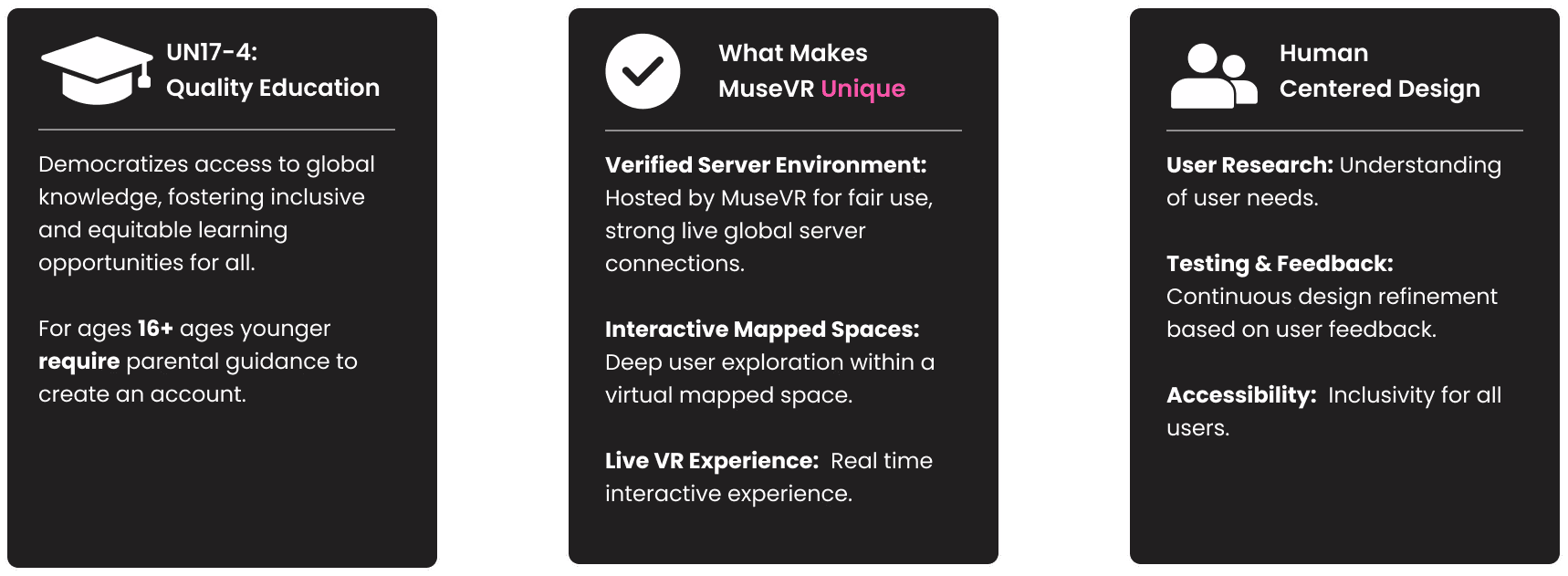
MuseVR is an immersive VR gallery and art creation space where users explore, remix, and reflect on cultural and personal narratives through interactive digital installations inspired by real-world sites. Designed to make art and museums more accessible, especially for underrepresented communities, it transforms passive observation into emotional, interactive storytelling, sparking inspiration to visit, learn, or apply insights beyond the virtual experience.
Accessibility
Why Bring People Into Virtual Museums?
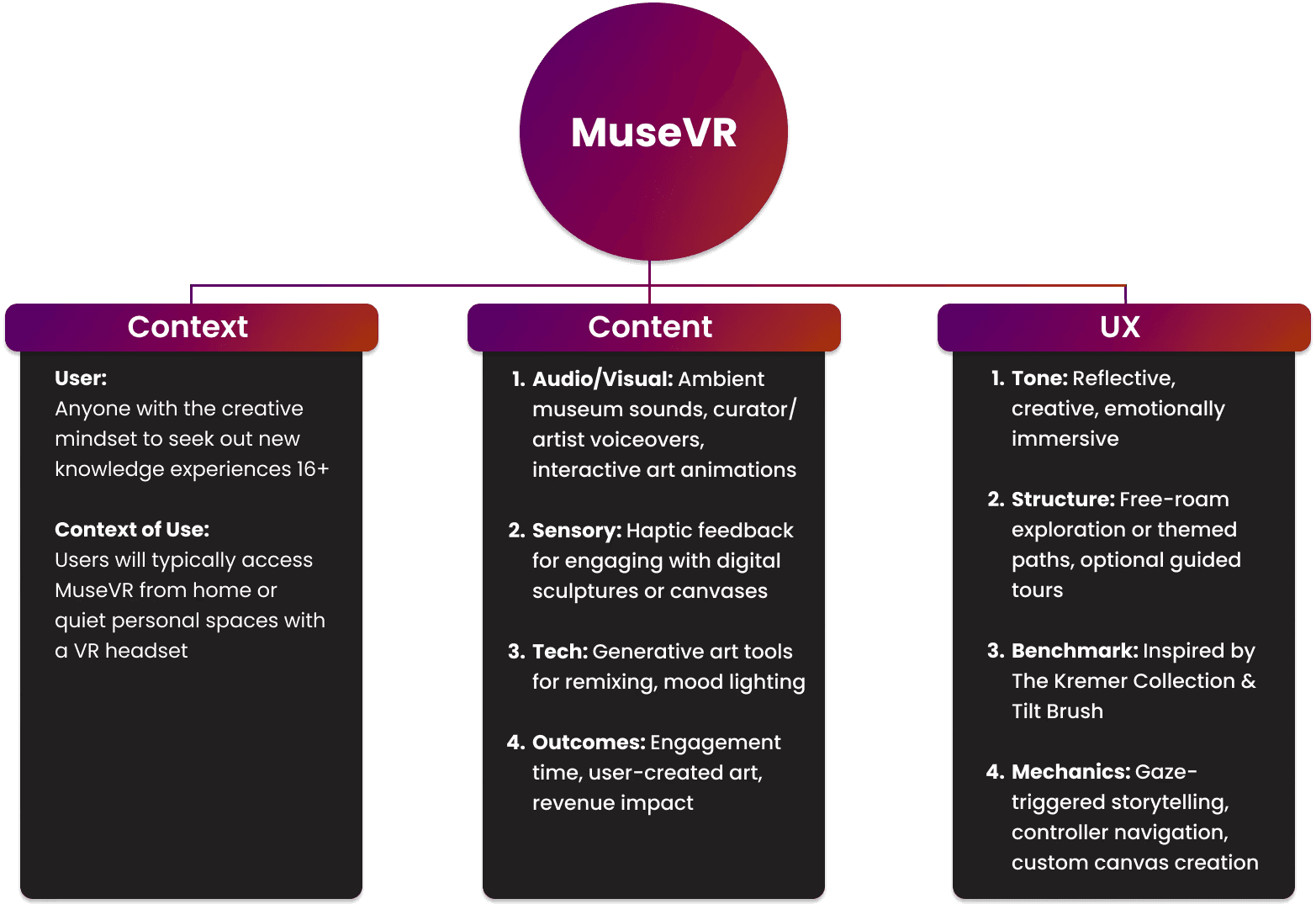
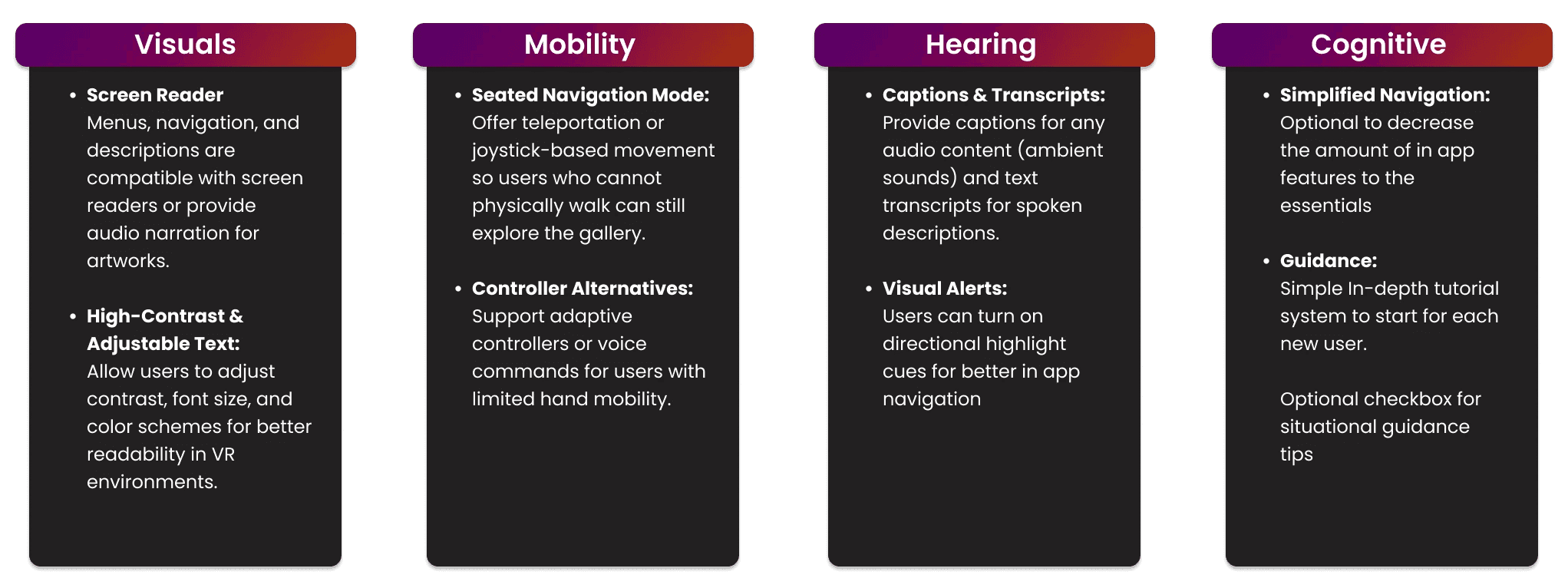
As stated in my problem framing, physical museums have real barriers, location, cost, mobility, opening hours, that keep a lot of curious people out entirely. I wanted MuseVR to strip those barriers away without losing what makes museums meaningful in the first place: discovery, immersion, and a sense of being somewhere. That's why the framework starts with context, defining who this is for and where they'd realistically use it, before getting into content and UX. If the experience is going to replace a physical visit, it has to feel emotionally immersive, not like clicking through a digital catalog. That's also why accessibility sits at the center of the design rather than as an add-on: a virtual museum only fulfills its purpose if it's actually more open than the physical one it's replacing, not just more convenient for people who already had access.
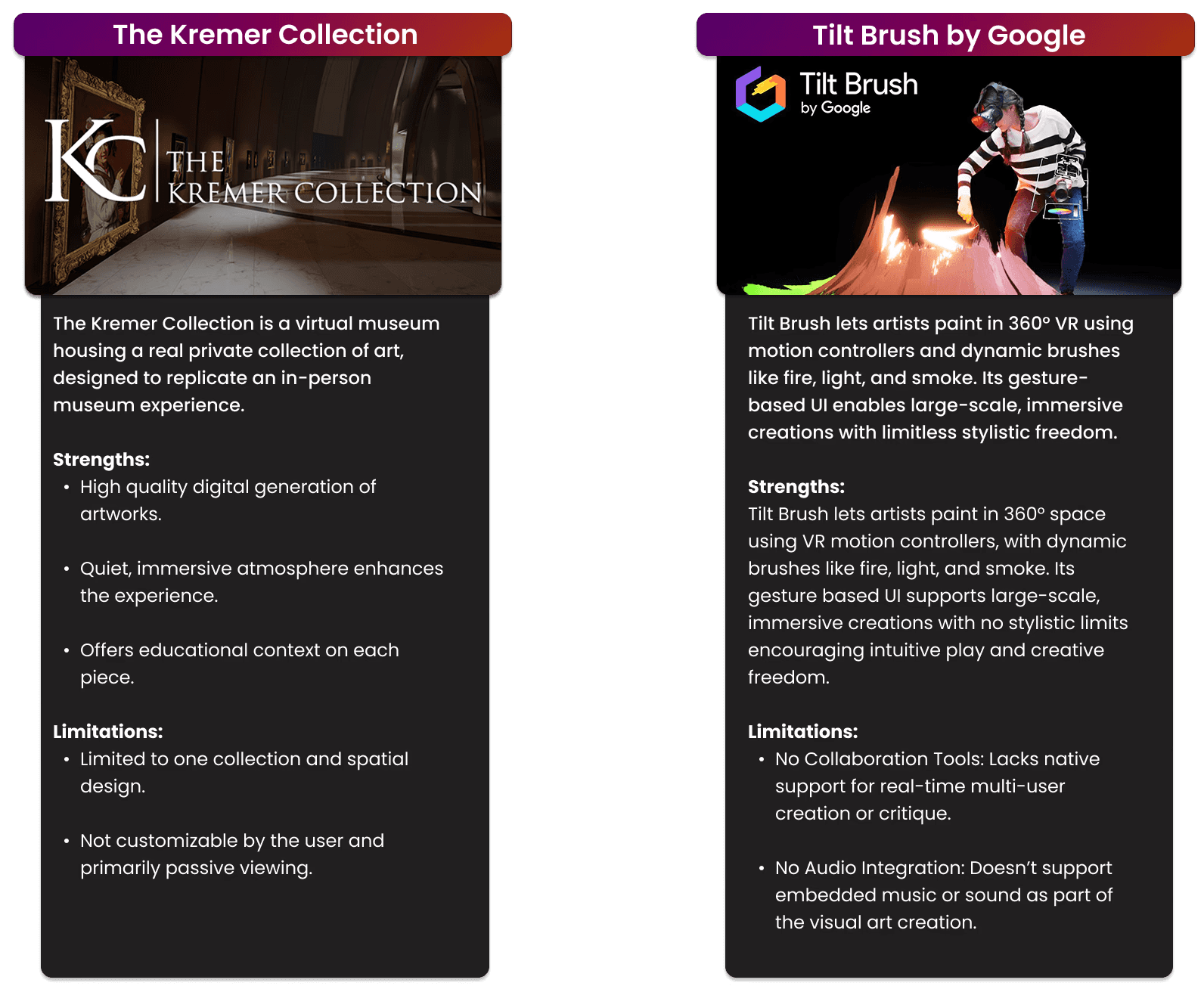
Benchmarking Analysis
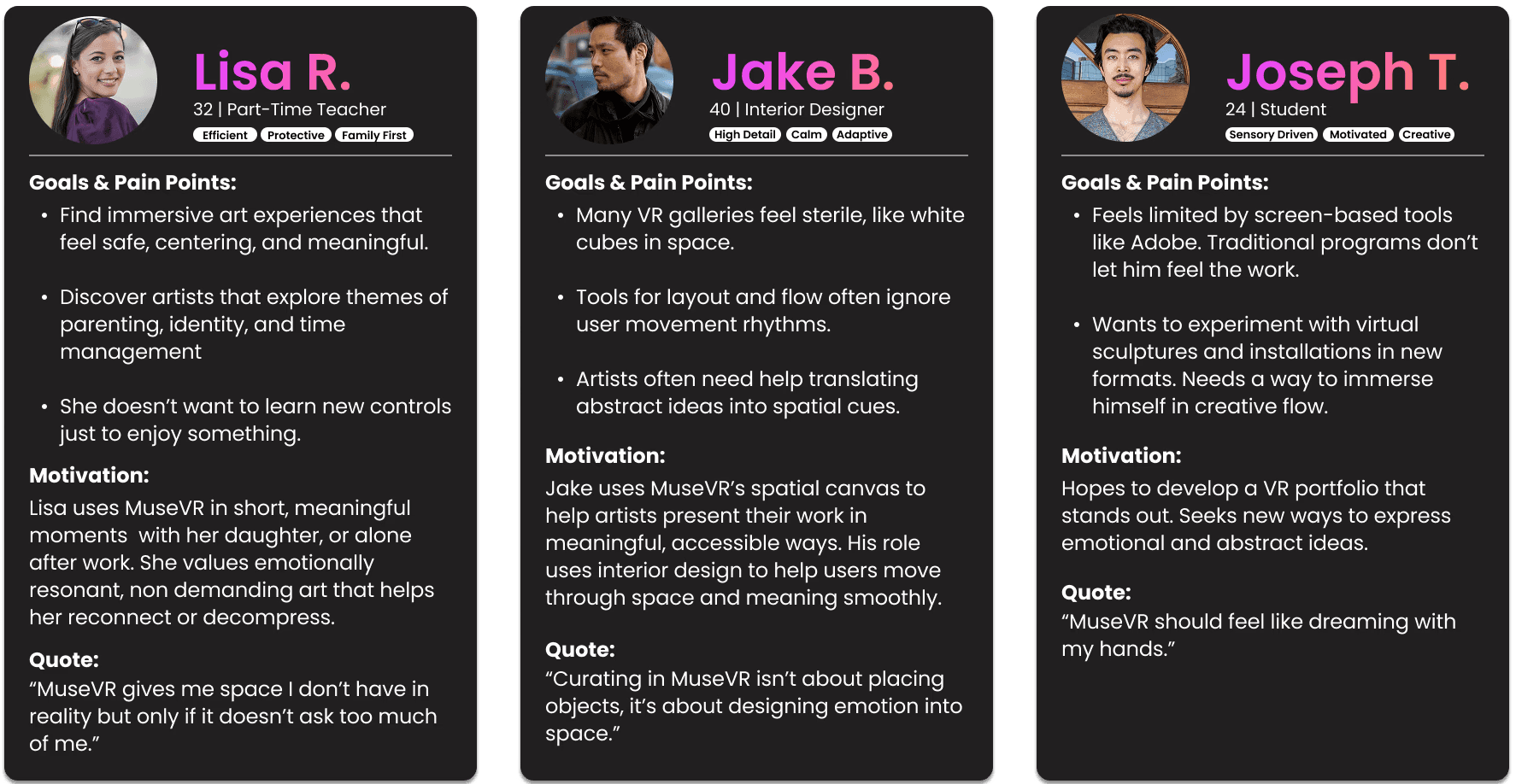
Personas
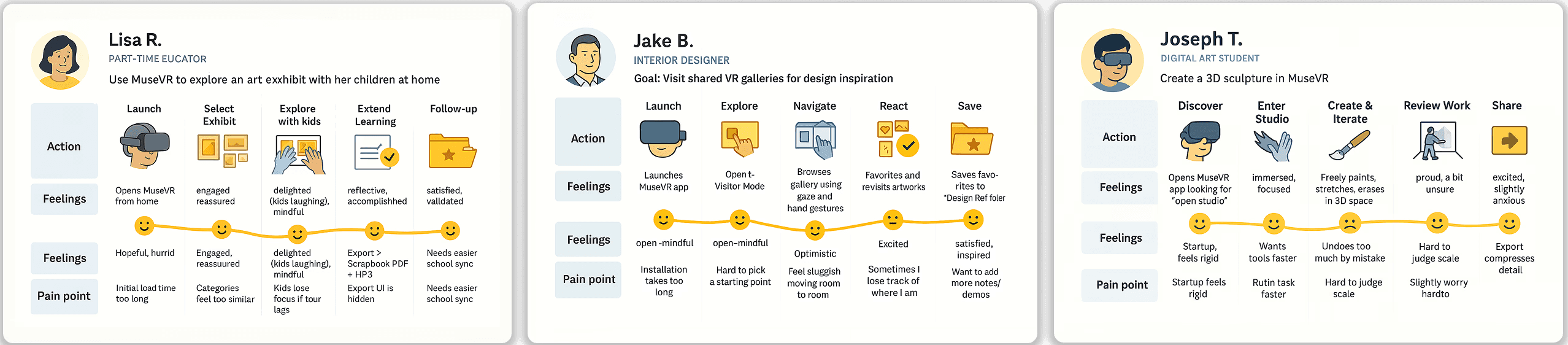
Journey Maps
Generated using SPAN_V3 for ChatGPT, following guidelines provided by the course instructor.
User Flows
Partly Generated using SPAN_V3 for ChatGPT, following guidelines provided by the course instructor.
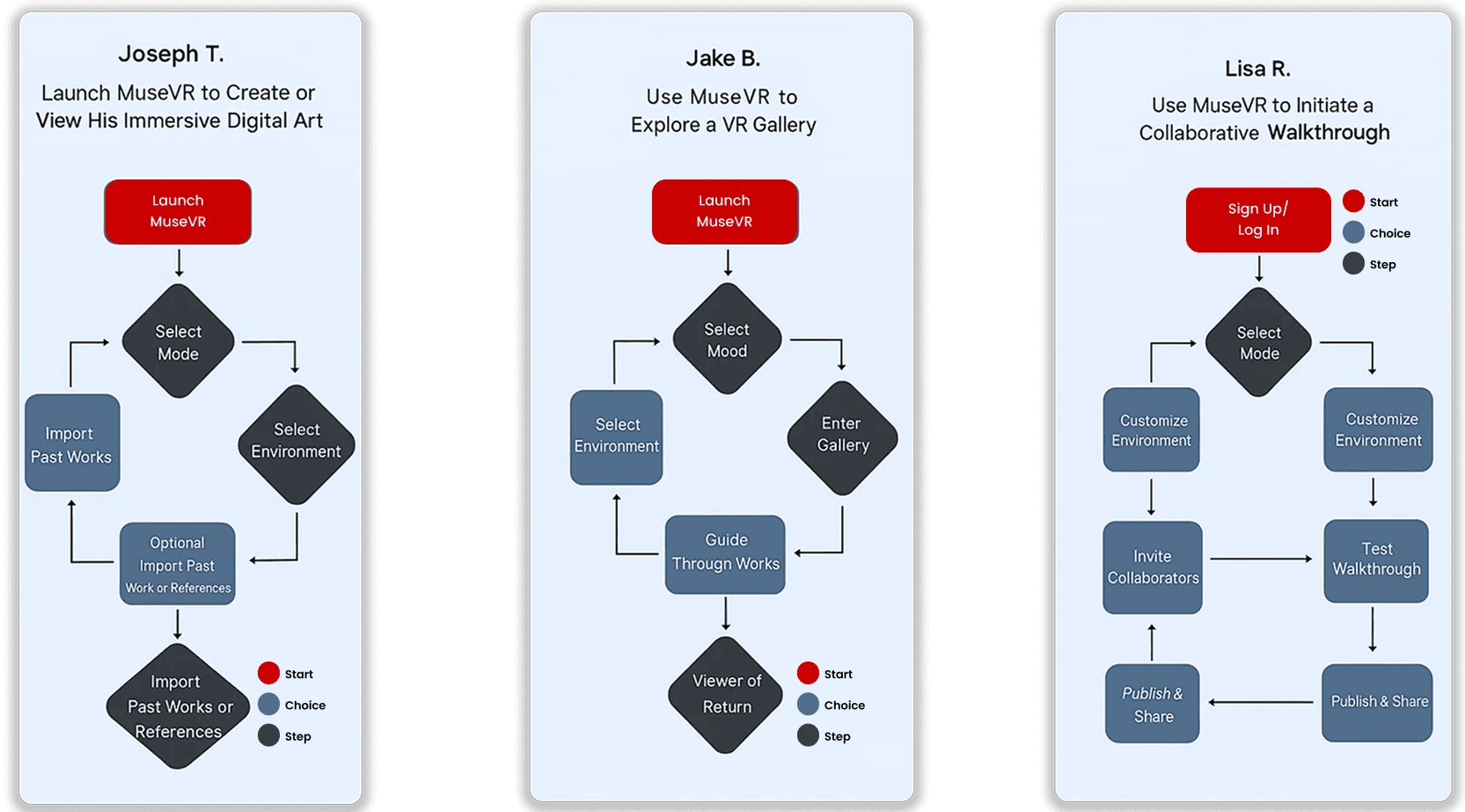
MuseVR is designed as a continuous, looping experience that keeps users engaged regardless of the paths they choose within the application.
How I Prompted AI to Build These Research Visuals
Getting AI to actually produce usable journey maps and user flows wasn't immediate. My first prompts were too vague:
"Create a user journey map for a VR museum app."
The output came back generic, no real emotional arc, no specific pain points, nothing tied to who these people actually were. I had to rework my approach entirely, writing longer, more context-rich prompts that gave the AI real persona detail, goals, and friction points instead of a one-line ask. For example:
"Generate a 5-stage journey map for Lisa R., a parent/exhibitor who wants to use MuseVR to explore art with her children. Include her actions, emotional state, and pain points at each stage, following this format: Action, Feelings, Pain Point."
"Create a user flow for Joseph T., a digital art student, launching MuseVR to create or view his immersive digital art. Show decision points for selecting a mode and environment, and whether he imports past work or references, ending in a completed flow."
Once I gave the AI that level of specificity, the visuals started genuinely reflecting the research. Lisa's collaborative walkthrough, Jake's exploratory gallery flow, and Joseph's creation-focused path each came through with their own distinct feelings and pain points, instead of a one-size-fits-all diagram. It reinforced something I keep coming back to as a designer: AI can meaningfully speed up the research-to-visual pipeline, but only when the prompting itself carries the same specificity and intent you'd bring to the design work yourself.
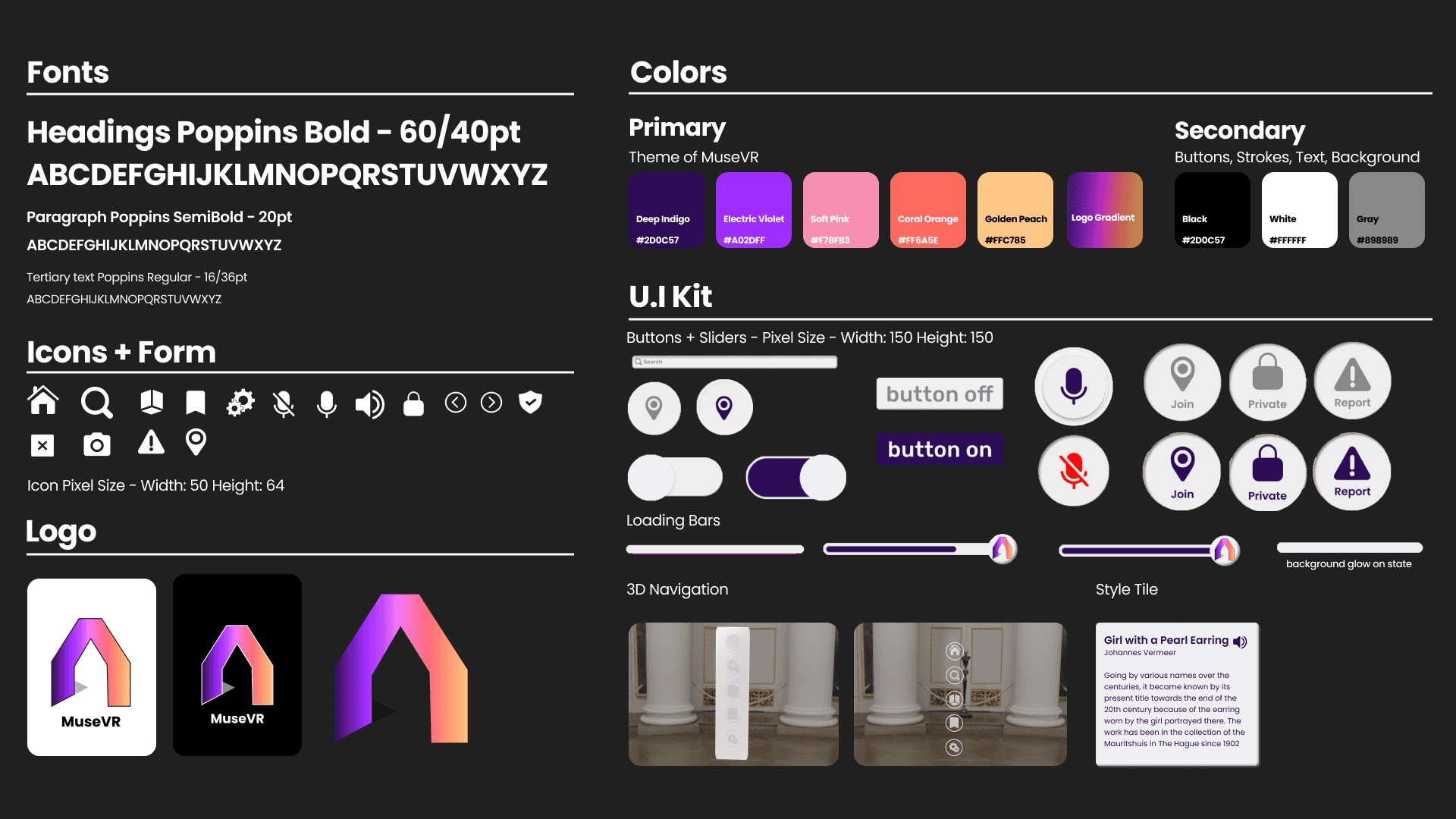
Style Guide
3D Model Sheets
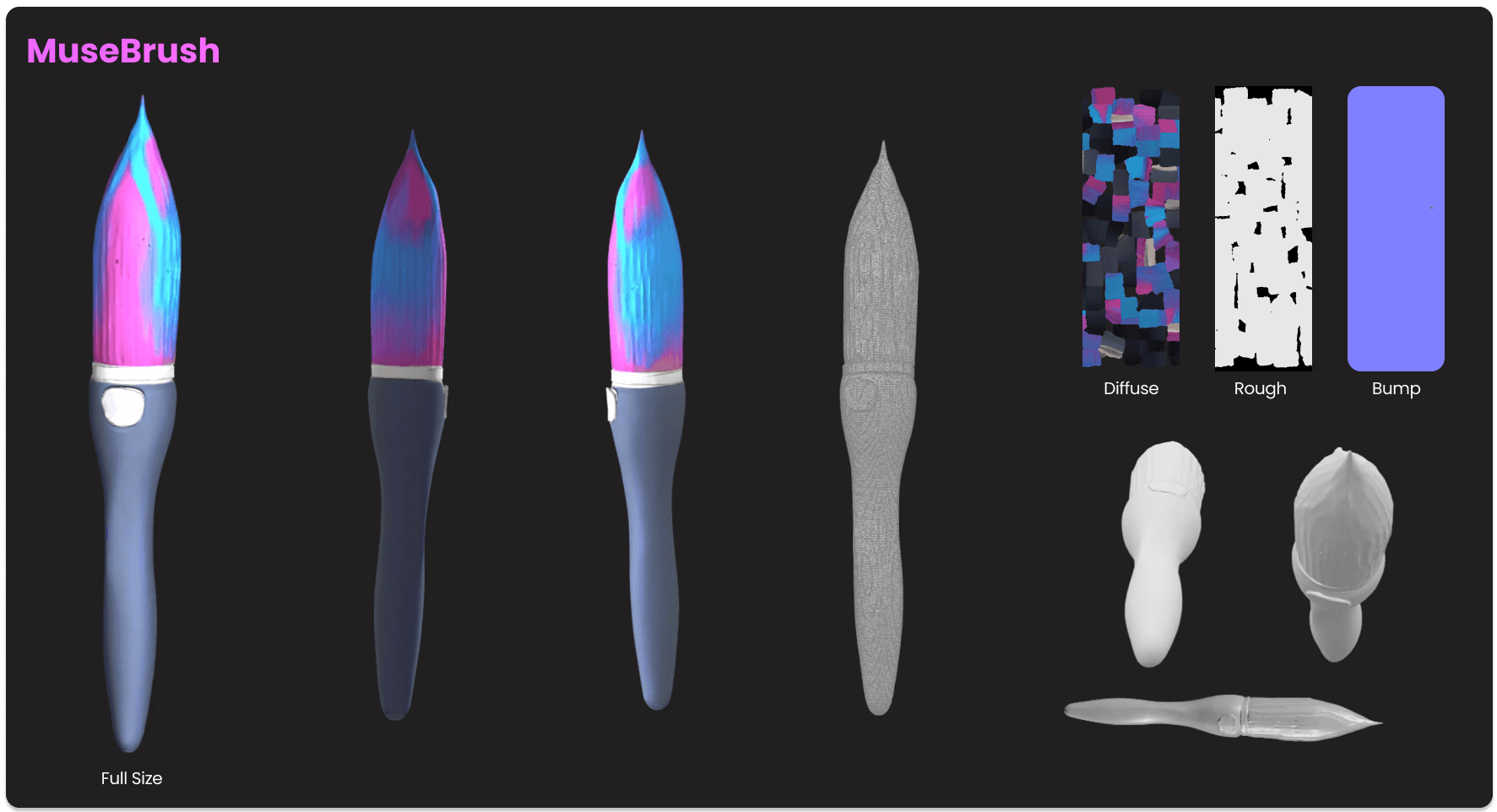
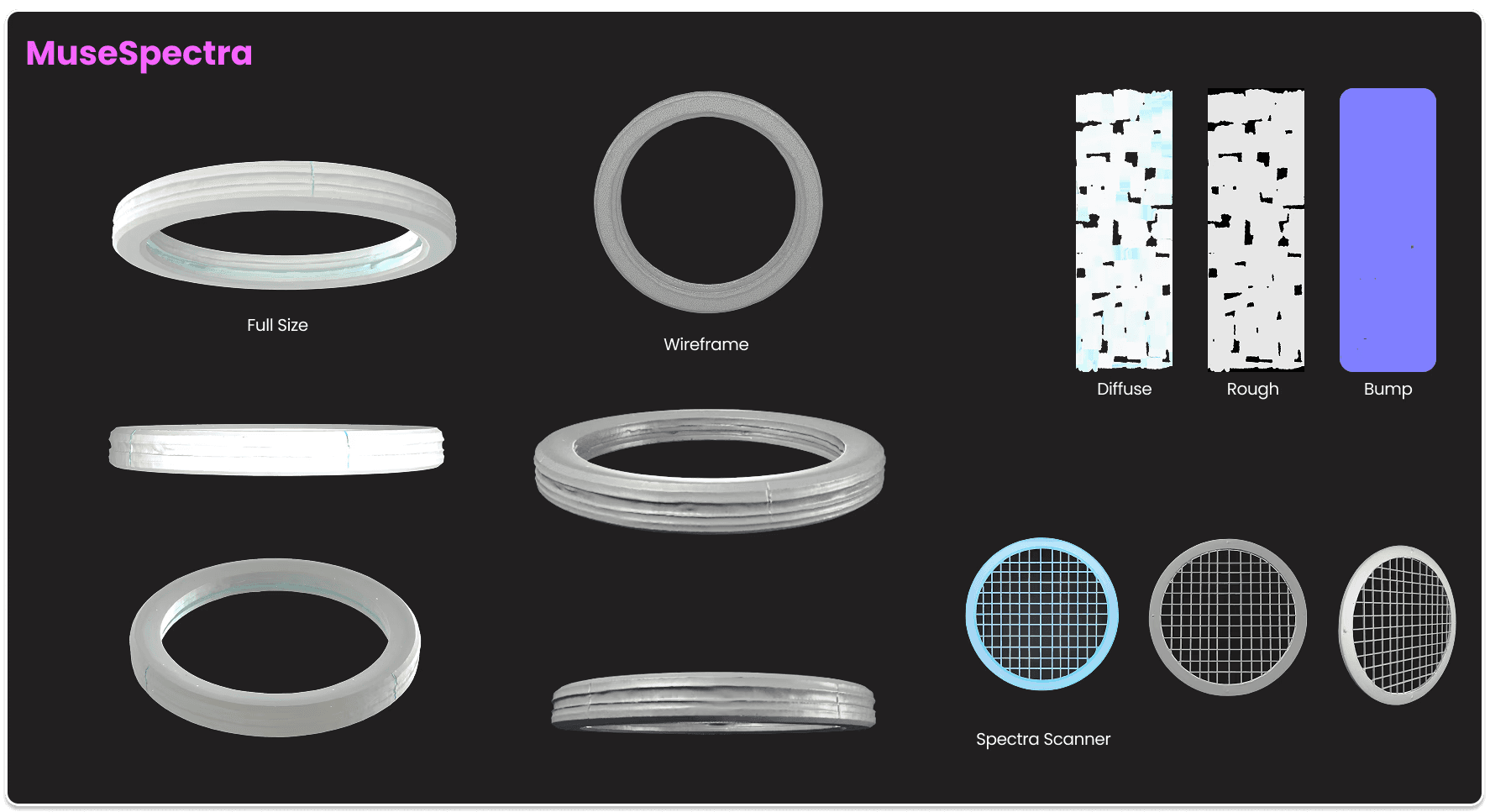
Models generated using 3D A.I modeling tool, following guidelines provided by the course instructor.
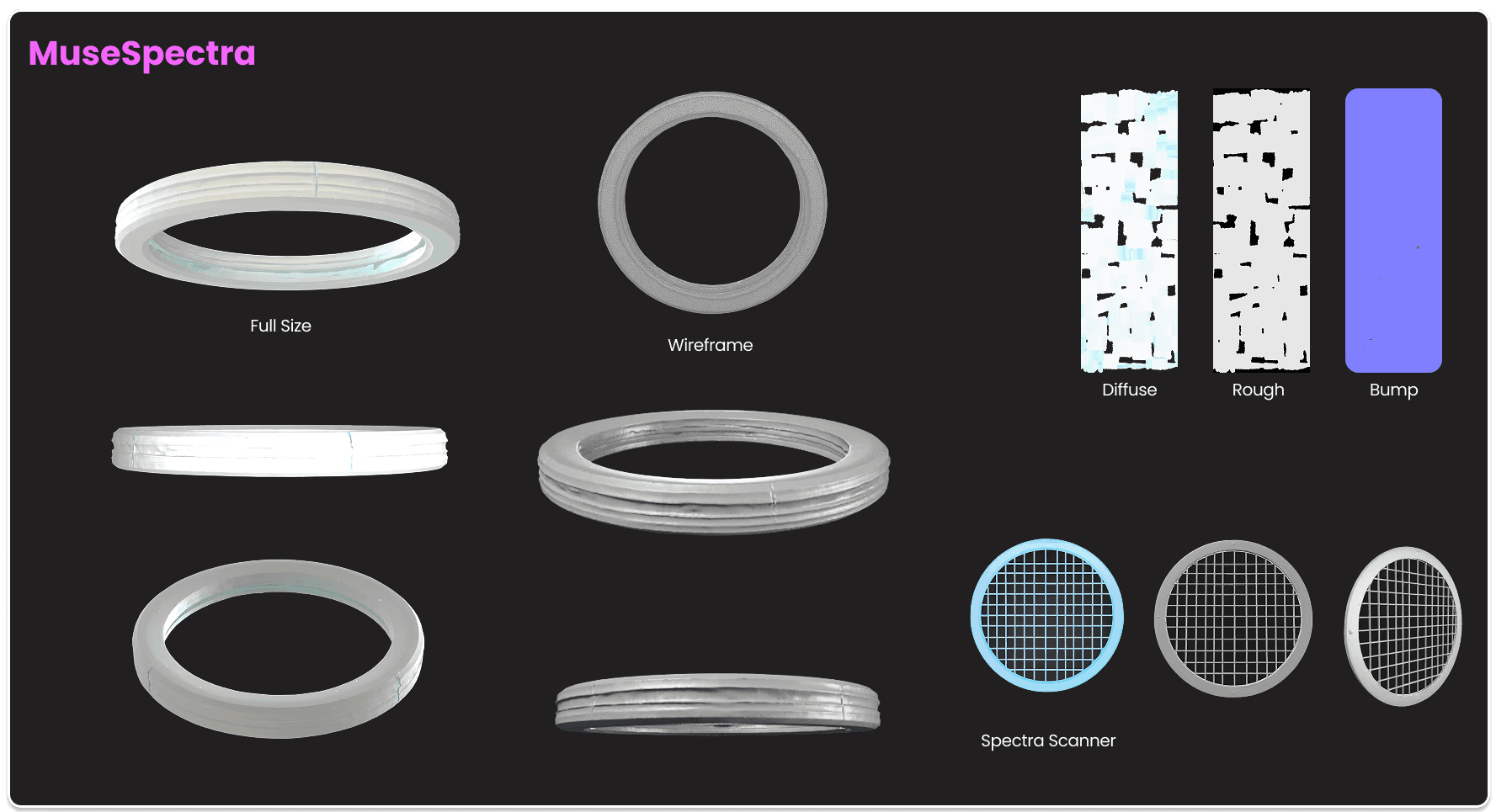
Using AI for 3D Modeling and Tweaking in Blender
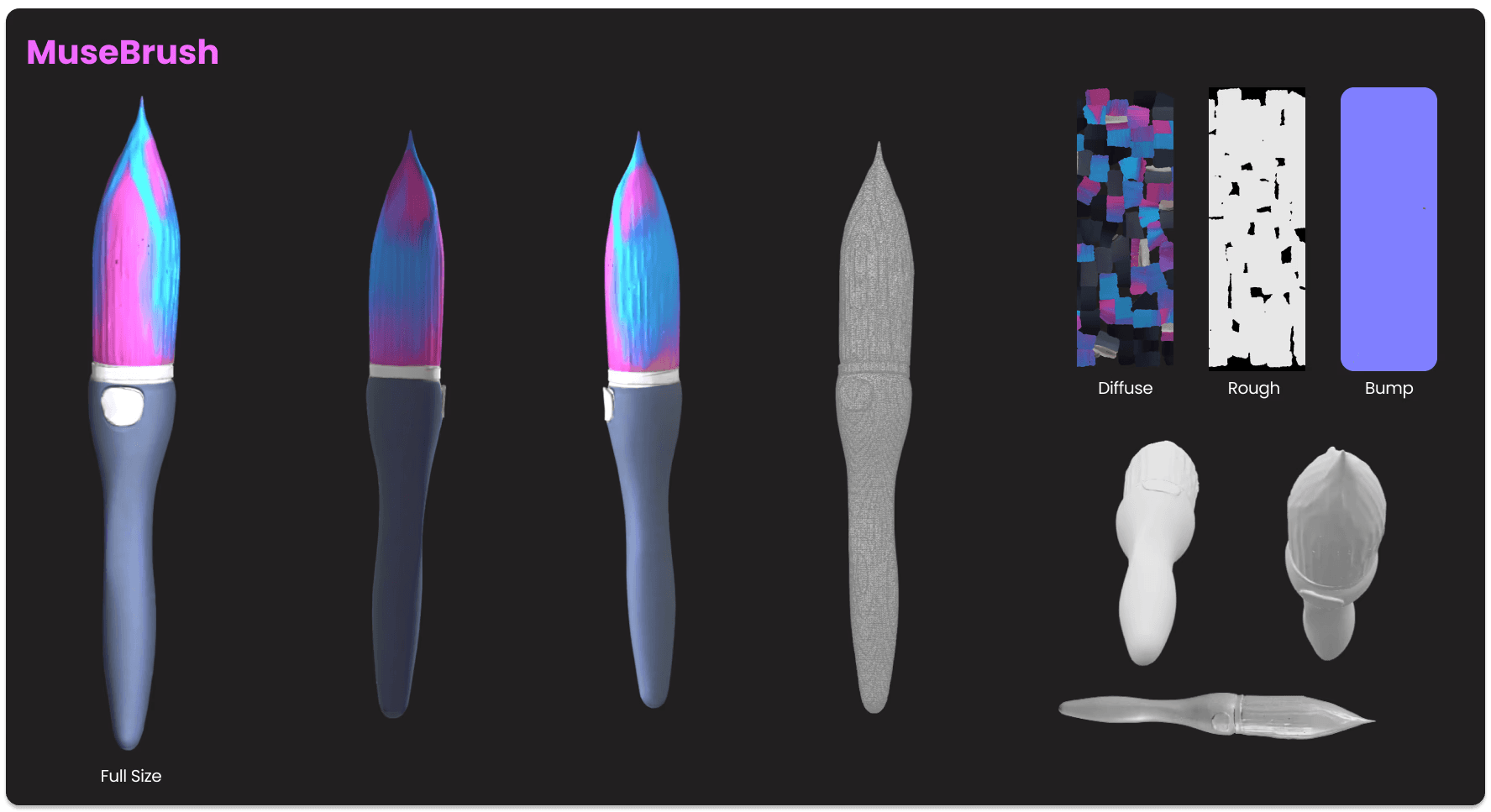
Prompting Meshy AI for these 3D assets took real trial and error. My earliest attempts came back nothing like what I had in mind, generic shapes that didn't capture the tone or personality I wanted for tools like MuseBrush and MuseSpectra. To fix this, I started researching reference models on Blender marketplaces to better understand how to describe form, proportion, and material in a way AI could actually interpret. That research helped me narrow my prompts significantly. For MuseBrush, for example, I wanted the paintbrush's silhouette to echo the iconic brush Epic Mickey wields in-game, so I referenced that directly in later prompts instead of describing the shape abstractly. Once I gave the AI concrete visual anchors instead of vague descriptors, the models came back far closer to the intended design, and from there I could bring them into Blender to refine materials, textures, and final detailing like the diffuse, rough, and bump maps shown above.
AI Assisted Storyboarding with Midjourney


Storyboarding Two Use Cases with Midjourney
This assignment required visualizing two distinct real-world scenarios of someone using MuseVR, told entirely through storyboard frames. I used Midjourney to generate each panel, and getting there took more deliberate prompting than I expected. Feeding it MuseVR's concept directly, gallery, headset, virtual museum, wasn't nearly enough; even a tool this creative needed to be walked through the story beat by beat rather than handed a summary. I had to break each scenario into individual scenes and prompt them sequentially, specifying setting, character action, mood, and framing for every panel so the visual language stayed consistent from frame to frame instead of drifting.
The first storyboard follows Lisa transitioning from a chaotic home environment into a fully immersive VR museum experience, using the shift in visual style, from cluttered and grounded to spacious and glowing, to reinforce the emotional relief of stepping into the app. The second storyboard walks through the actual in-app navigation experience, from the welcome screen through world selection to browsing exhibits, giving a clearer sense of the interface and flow itself rather than the emotional framing. Prompting scene-by-scene rather than concept-first is what actually got Midjourney to deliver something usable for both storyboards, and it reinforced that even AI-assisted creative work still depends on the same intentionality a designer brings to any other tool.
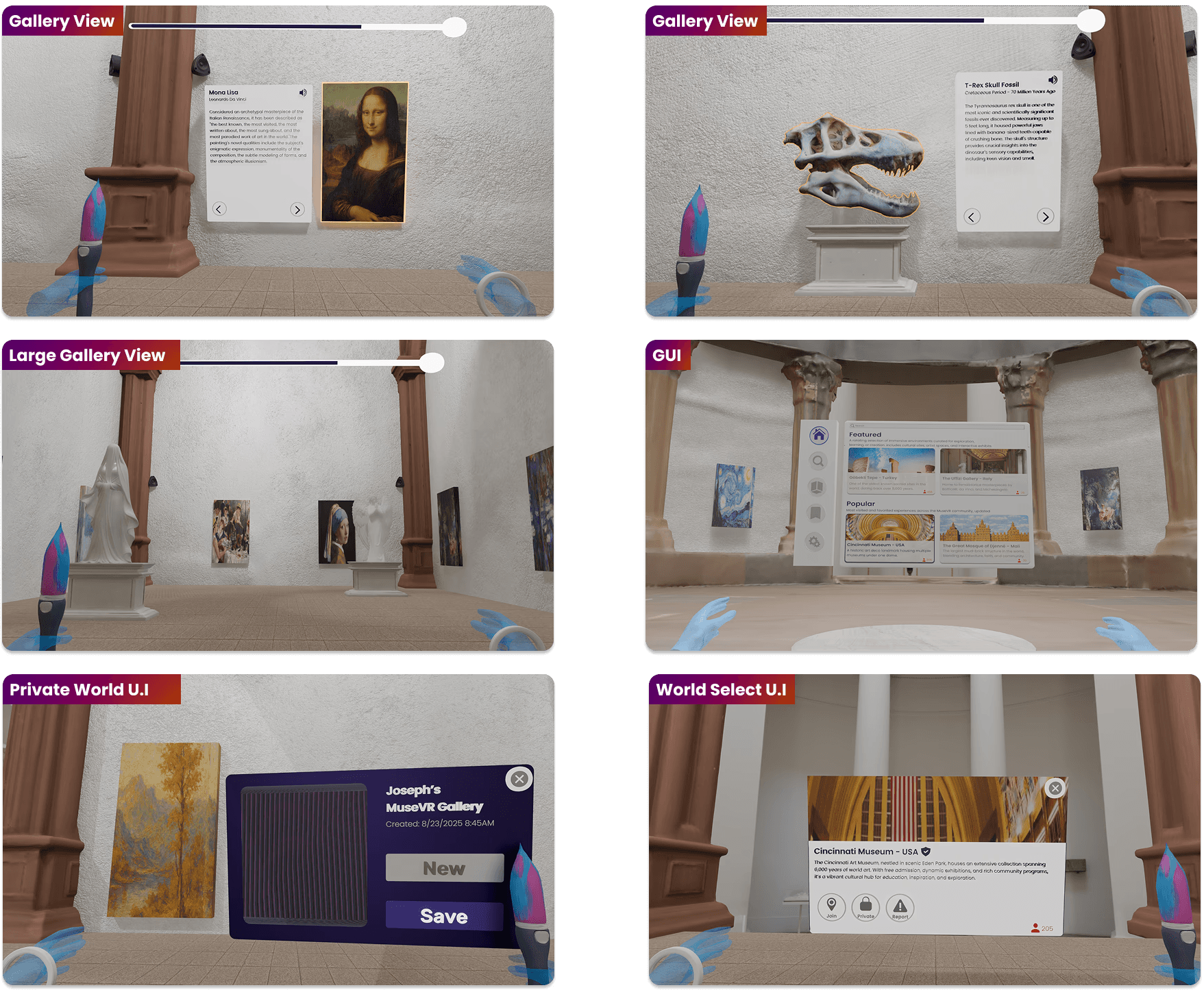
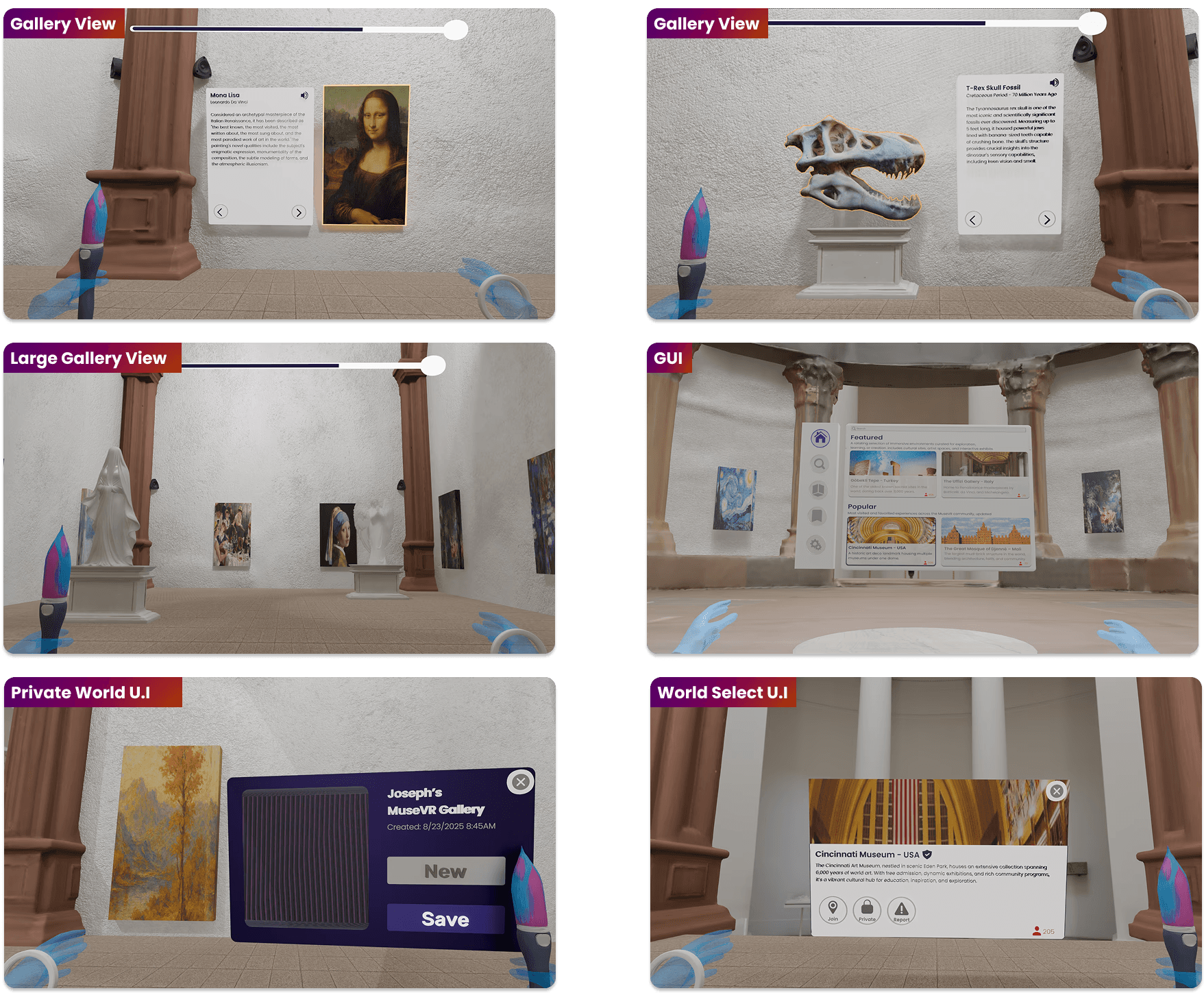
Final 3D Blender Screens
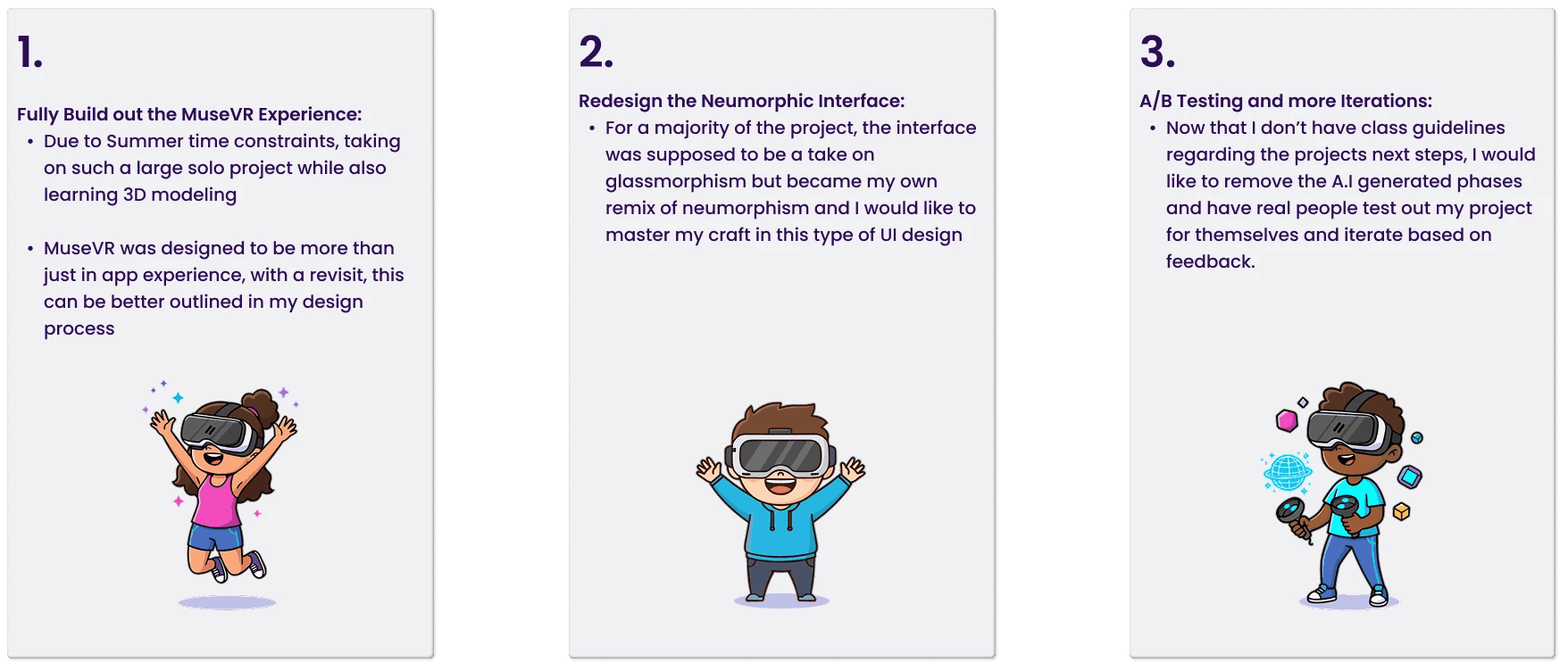
Next Steps
Personal Achievements
Built in Blender and Unity Engine for the first time and made an immersive 3D environment, with accessible navigation.
Refined my design workflow to meet tight deadlines and successfully managed pacing to complete a major solo project within limited time.
This project was shaped by collaborative feedback from peers and critical insights from my professor, enabling significant design improvements that were essential to its success. From weekly Figjam board check-ins to bi-weekly project presentation check in's and 1 on 1's, thanks to everyone that supported me on this project.
Reflection on AI Usage
This was my first design project requiring the use of AI. While AI cannot replicate or replace the creativity of real designers, it proved to be a valuable tool for managing tight time constraints and I plan on keeping up to date with the latest advancements on this tool. Looking ahead, I aim to deepen my skills in 3D modeling and rigging to create high-fidelity environments by taking classes, watching tutorials, and more.